3.8. Ability Boxes
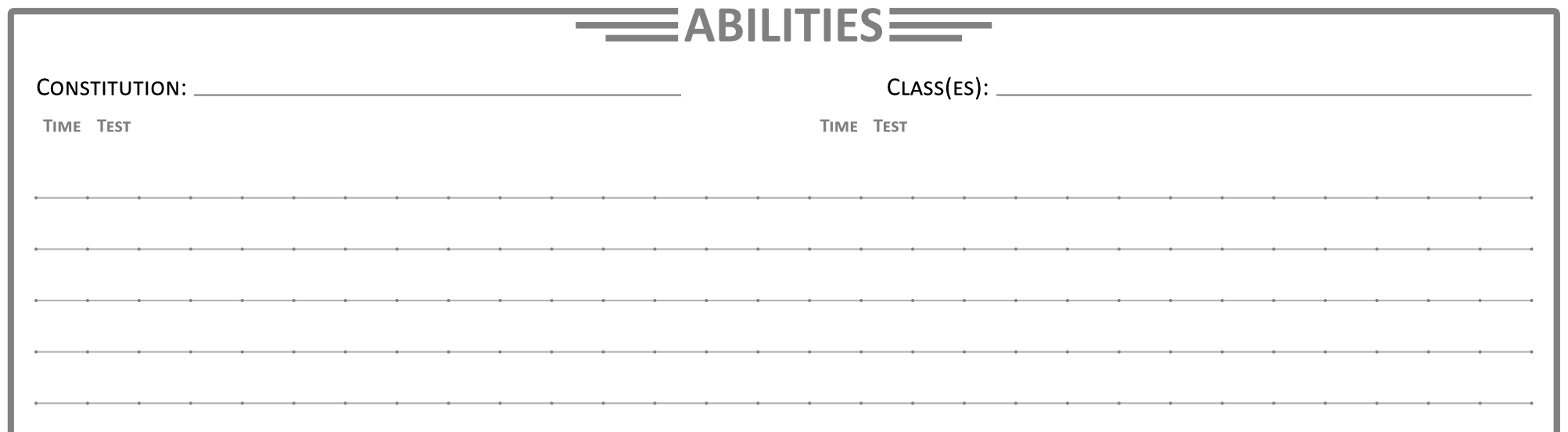
The Abilities Box at the bottom of Page 2 of your Character Sheet provides a place to list all your Abilities and their effects. Already in the box are the three Basic Attacks at the top and a helpful reference of several of your other Basic Abilities at the bottom. Among them, the Move Ability lists your current Movement Styles.
Be sure to learn the shorthands discussed in 1.3. Dice Mechanics and 1.9. Abilities to help lessen what all you need to write down for each Ability. Doing so will help save space and help you find things faster while playing.
Basic Attacks
Each Basic Attack has a spot for noting how much Damage it deal for each Score Range. You should also note the Damage Type of your Basic Attack if you are using a Weapon.
Your Melee Attack, Ranged Attack, and Magic Attack will be among some of the most used and referenced Abilities during Encounters. Each of these Basic Attacks can have their Damage modified by weapons, Perks, and other Abilities. To help you remember how much Damage and the Damage Type, you should note your Damage amount and Type for each Basic Attack in its relevant box.
Note: Each of the three Basic Attacks is subtly different from one another. Be sure to read over each before playing.
Melee Attack
The default amount of Damage for your Melee Attack is 0 on a Low Score, 1 on a Mixed Score, and 2 on a High Score. Equipping a Melee Weapon raises each of those by 1. You can also increase the total amount of Melee Attack Damage through Upgrades to your Melee Attack.
The default Damage Type is Solid/Blunt Damage. Melee Weapons often change that Damage Type as well.
Ranged Attack
The default amount of Damage for your Ranged Attack is 0 on a Low Score, 1 on a Mixed Score, and 2 on a High Score. Equipping a Ranged Weapon raises your Passing Score Damage amounts by 1. You can also improve your Ranged Attack Damage through Upgrades to your Ranged Attack.
Even without a Ranged Weapon, you can often still perform an improvised Ranged Attack by throwing objects you find nearby. When making an improvised Ranged Attack, you will have the "Improvised" Penalty.
The default Damage Type is Solid/Blunt Damage, though it can vary depending on what you throw. Ranged Weapons generally change what Damage Type your Ranged Attack invokes.
Magic Attack
The default amount of Damage for your Magic Attack is 0 on a Low Score, 0 on a Mixed Score, and 1 on a High Score. Equipping a Magic Weapon raises your Passing Score Damage amounts by 1.
The default Damage Type is Fluid/Blunt Damage. Your Magic Weapon generally will not change what Damage Type your Magic Attack invokes. Most Damaging Spells will use your Magic Attack to determine the amount of Damage dealt, but provide their own Damage Type. Because of this, you may wish to save the spaces directly below the Magic Attack line of the Abilities Box for your other Damaging Spells.
You can also improve your Magic Attack, including its Damage and range, through Upgrades.
Abilities
At the top of the Abilities Box, you will find spaces to note your Constitution and Class(es). When creating your character, you will choose one Constitution and one starting Class. These will grant you several bonuses and also provide some guidance on what Abilities might fit your character best. The rest of the Abilities Box provides a place to note which Abilities you have learned.
Abilities List
The space to list your Abilities provides a few labels for the Ability Time and which Modifier should be used for the Ability Test.
Under Ability Time, you should place the shorthand described in 1.9. Abilities: "A" for Action, "FA" for Free Action, "R" for Reaction, "FR" for Free Reaction, or "P" for Passive. If an Ability takes a longer amount of time, list the time as the minutes or hours it will take to take effect.
For the Ability Test, you should note which Stat to use for the Ability Test using its first letter. If a different Modifier is needed, you should note the Ability Test as a "*", then specify which Modifier should to use in the Ability description to the right. If no Modifier is needed, note a "-" next to the Ability.
You can then copy the details of each Ability into the space to the right.
Next Up: 4.1. Running Encounters